Monnit Edge - 05 Sensor Filter
Sensor filter — pick one sensor (Refresh)

Use when you want one wire per sensor (dashboards), not the whole gateway stream.
On a live Edge Gateway, wire iMonnit-Edge into the filter.
On this lab tab, the green node is Monnit - Edge - Sensor Simulator (fake traffic with the same JSON shape).
Monnit - Edge - Sensor Simulator (this tab)
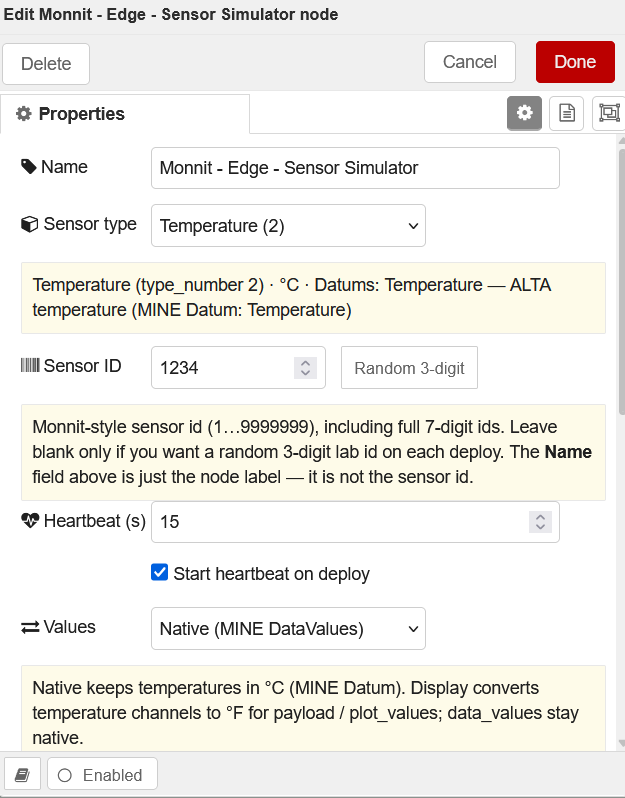
What it does: emits periodic sensor messages that match live iMonnit-Edge / Monnit Edge output — no radio required. Use it to practice filter, BACnet, Modbus, MQTT, and http request wiring.
Configure (double-click the simulator)
| Field | What to set |
|---|---|
| Name | Optional canvas label (e.g. Monnit - Edge - Sensor Simulator) |
| Sensor type | Temperature, Humidity, … (ALTA profiles) |
| Sensor ID | Stable Monnit-style id, e.g. 1234 (blank = random lab id) |
| Heartbeat (s) | How often a new reading is emitted (this tab: 15 ) |
| Start on deploy | checked — begins after Deploy |
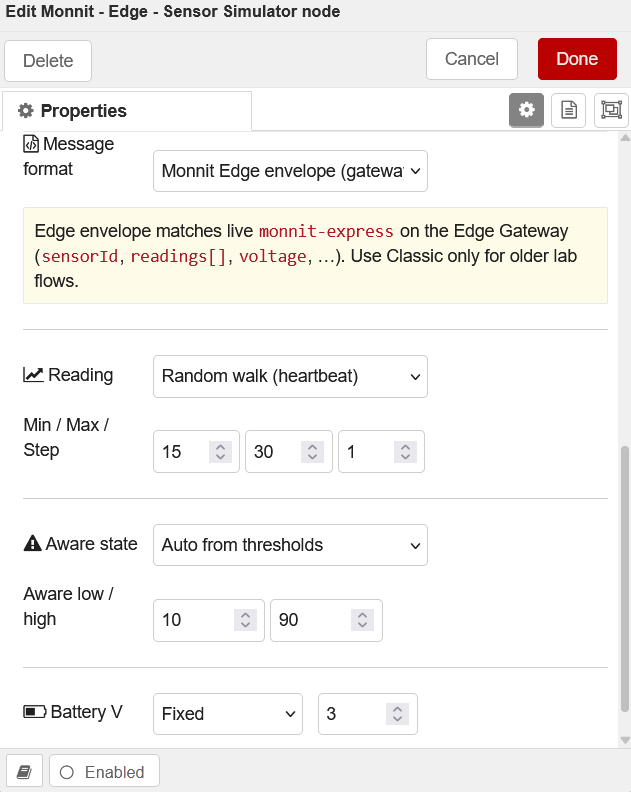
| Message format | Monnit Edge envelope (default — matches gateway) |
| Values | Native (°C) unless you need °F display |
| Reading | Random walk (min/max/step) or Fixed |
| Aware / Battery / RSSI | Auto or fixed — optional |
Done → Deploy. Status under the node shows the id and latest reading.
Sample JSON output (right port)
{
  "topic": "1234",
  "payload": {
    "sensorId": 1234,
    "name": "Temperature - 1234",
    "applicationId": 2,
    "state": 0,
    "date": "2026-09-22 12:00:00",
    "readings": [
      { "description": "Temperature", "data": "22.5" }
    ],
    "batteryPercent": 98,
    "signalPercent": 85,
    "voltage": 3.05
  },
  "timestamp": 1727013600000
}
Humidity (and other multi-channel types) add more entries under readings .
Sensor filter — fields
| Field | What to do |
|---|---|
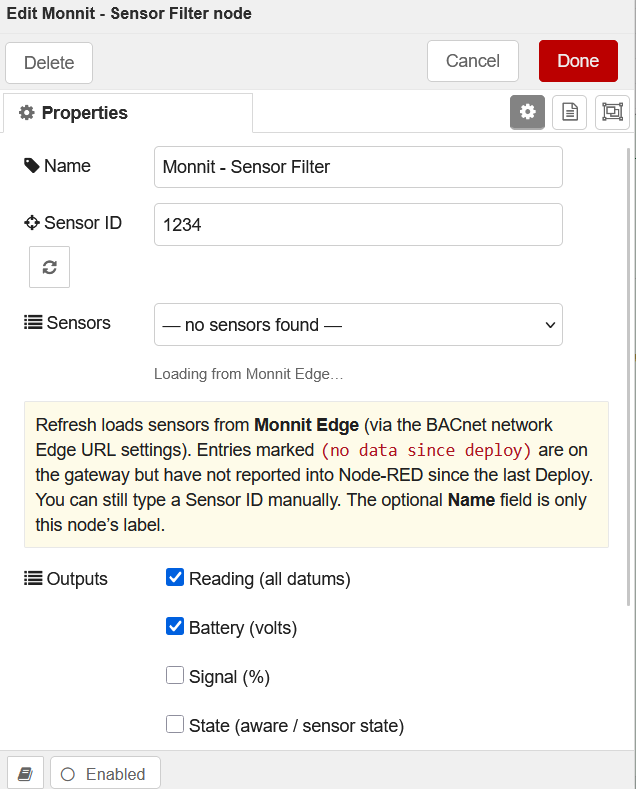
| Name | Optional label only (not the Monnit id) |
| Sensor ID | Type the Monnit id, or pick from the list |
| ↻ Refresh | Reloads the Sensors dropdown |
| Sensors dropdown | Choose a sensor → fills Sensor ID |
| Outputs checkboxes | Reading / Battery / Signal / State |
How Refresh works
- Wire simulator or iMonnit-Edge into the filter and Deploy so traffic has flowed
- Double-click filter → click Refresh
- List loads from the Monnit Edge (via BACnet network Edge URL login) and sensors seen on the wire
(no data since deploy)= on gateway list but quiet since last Deploy — you can still select it- Pick a sensor → Done → Deploy
Filter outputs (left → right)
- Reading (all datums) 2. Battery V 3. Signal % 4. State
Enable only what you need. Other sensors’ messages are dropped (but still teach Refresh the list).