Monnit Edge - 04 See Data
Debug - Confirm data is flowing
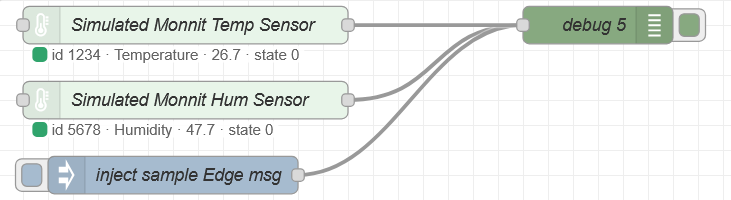
Debug node (double-click)
| Field |
Use |
| Output |
msg.payload (simple) or complete msg object (full) |
| to sidebar |
checked — messages appear on the right |
| Name |
optional label |
Steps
- Deploy this tab
- Right sidebar → Debug (bug icon)
- Wait for the next sensor report, or click inject sample
- Expand the message — look for
sensorId and readings
No messages?
- Deploy again
- Debug filter = current flow / all nodes
- Is iMonnit-Edge showing an error?
- Sensors page: devices Online with a recent reading?
Did this answer your question?
Thanks for the feedback
There was a problem submitting your feedback. Please try again later.
No results found

