
NIST Detachable Leads & Sensor Bases Installation Guide
Overview
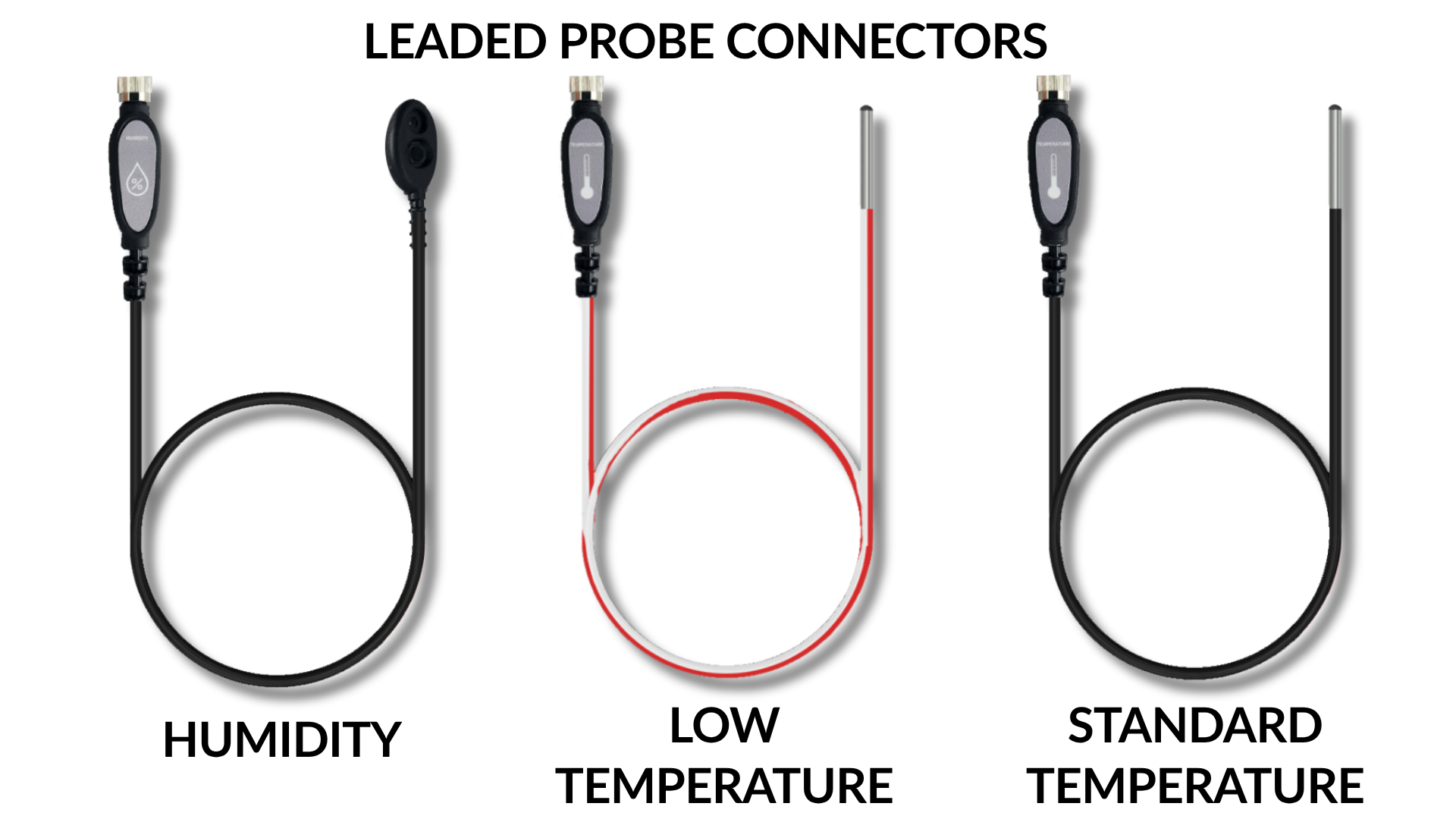
Monnit offers NIST Standard and Low Temperature and Humidity Detachable Leads or removable, hot-swappable cables with probes for compatible ALTA Industrial and Enterprise Sensor Bases. We also have short Monnit Standard Temperature and Humidity Detachable Non-Leaded Probes that you can connect to compatible bases.
The NIST Detachable Leads help simplify sensor certification, compliance, and monitoring programs.
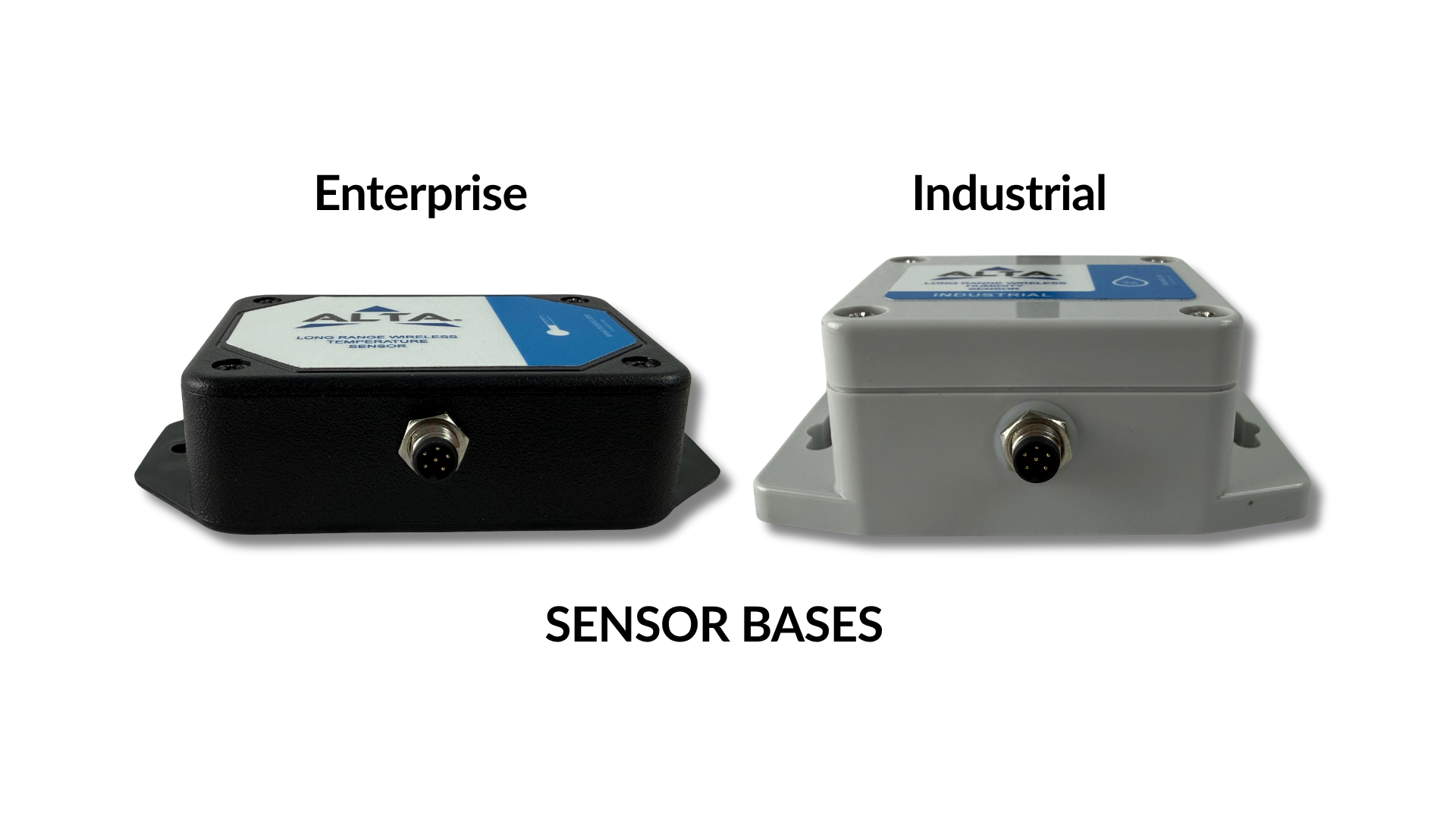
The short, non-leaded probe isn't available for the ALTA Industrial and Enterprise Low Temperature Sensors.
Key Details
- The sensor bases, leads, and probes each have a separate serial number and connect via keyed, sealed M8 6-pin connectors.
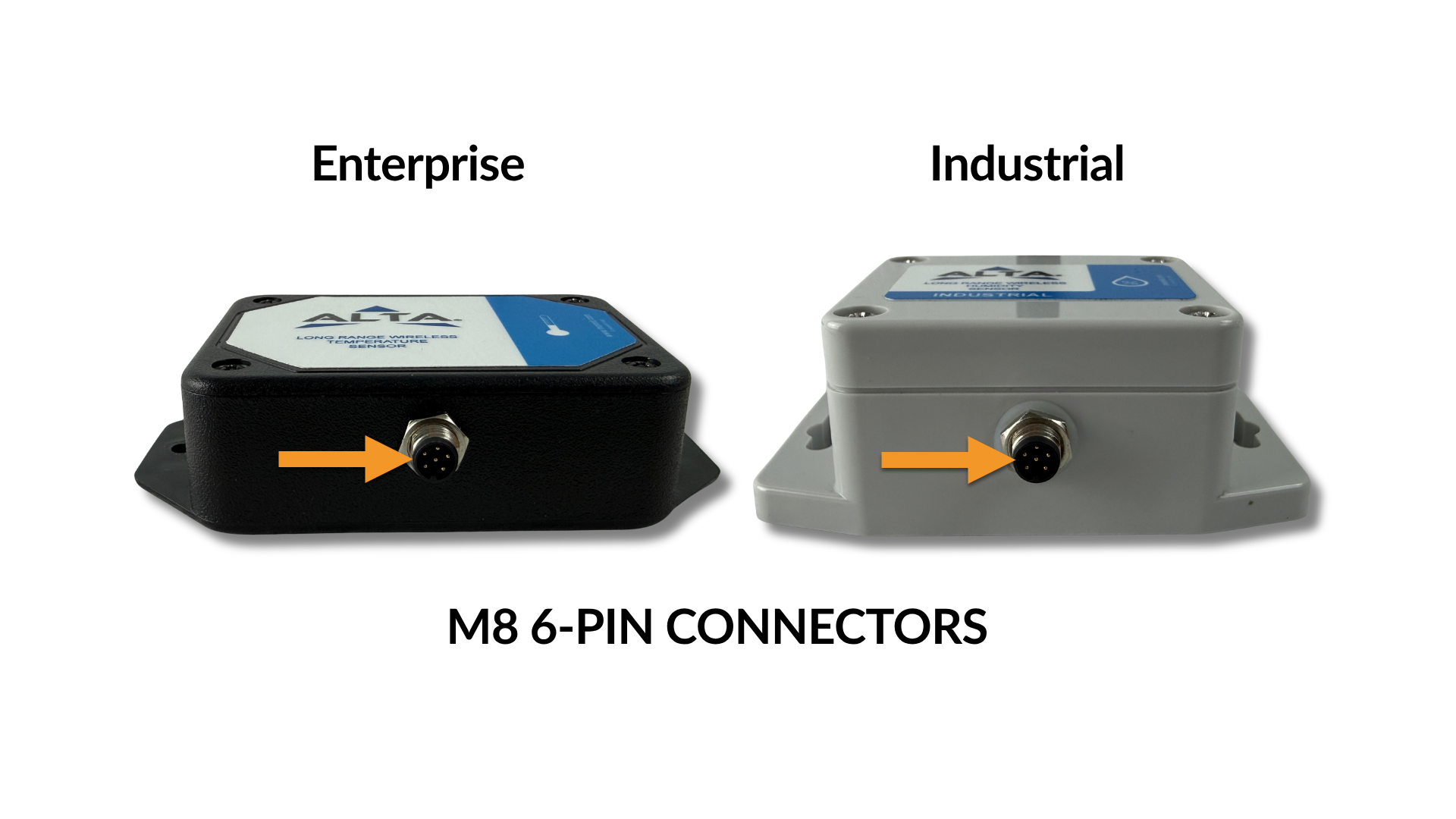
- The bases are sensor-specific, so NIST Detachable Low Temperature Leads, for example, will only be recognized by ALTA Low Temperature Sensors.
- Once you connect a NIST Detachable Lead to a compatible ALTA Sensor base in iMonnit, the sensor will look and behave exactly like a sensor of the same type.
- Except that iMonnit will include a sensor log indicating when leads or probes are attached to or detached from the base (hot-swapped).


For more information on setup and installation for a specific sensor type, see the sensor type's documentation.
Attaching & Detaching a Lead
- Connect the lead to a sensor base by first aligning the base's M8 Panel Mount 6-Pin Receptacle or Bulkhead Connector with the lead's M8 Connector.
- Partially insert the lead's M8 Connector into the base's 6-Pin Receptacle, then hand-tighten the lead's threaded nut without cross-threading.
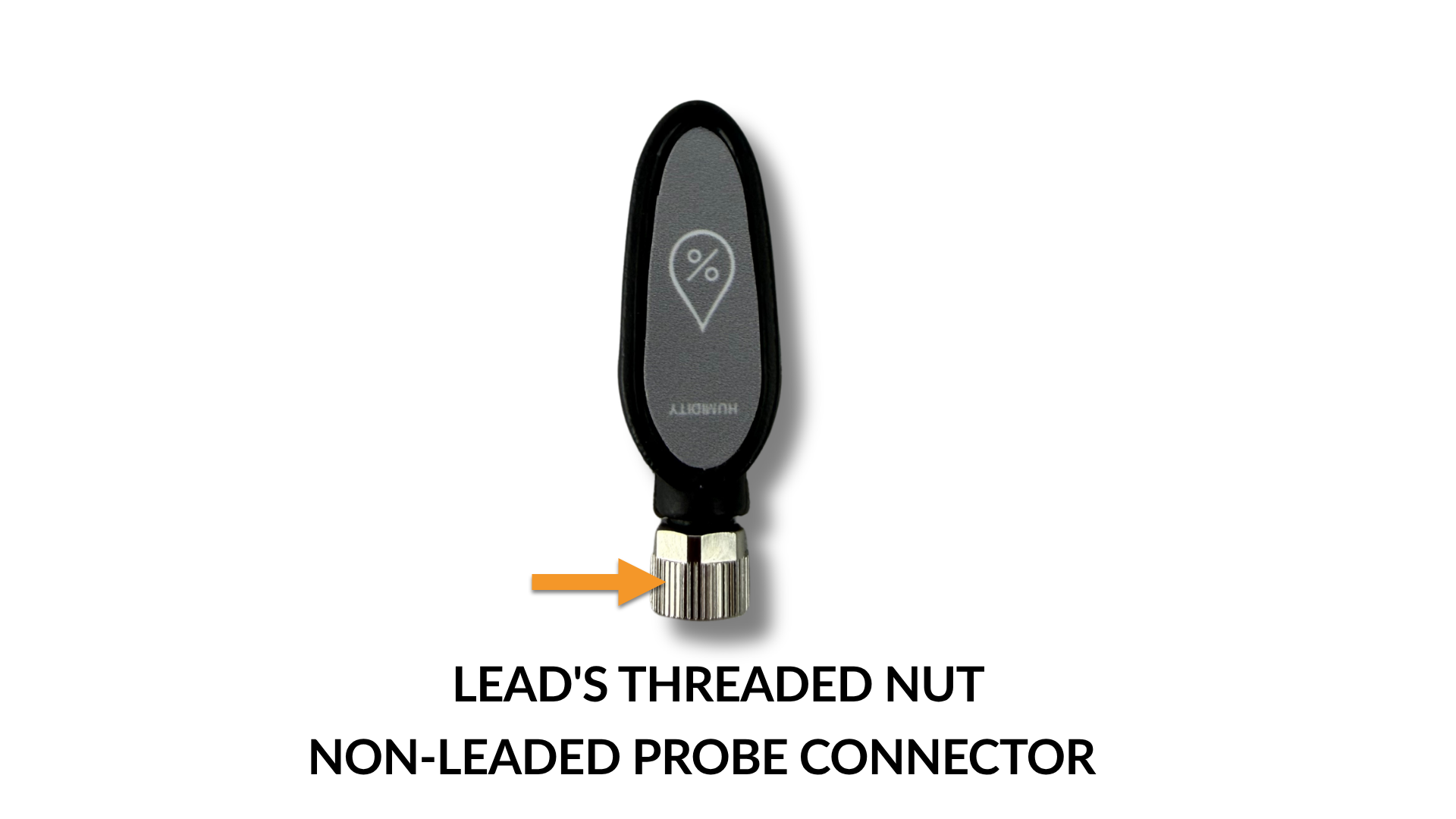
- The lead or short probe can be safely attached to or detached from the sensor base while the base is powered on or off.
- If you want the connect/disconnect events to be logged in iMonnit, we recommend performing these operations while the base is powered on and connected to an ALTA or ALTA XL Gateway.
When the lead is connected or removed, and the sensor base is already powered on and connected to a gateway, the LED on the base will flash once and immediately report the change to the gateway. If you don't see a flash, the sensor base didn't recognize the lead change, or the lead is off.
After connecting a lead, over two to three Heartbeats, the system will synchronize calibration values and settings between iMonnit and the lead connected to the base. Expedite this process by pressing the button on the sensor and the gateway until the setting's dirty flag clears.
After ensuring the sensor is communicating with the gateway, mount it using the supplied screws or double-sided tape. Mount the sensor base in a location that will not impede access to it or the lead, or the lead's placement.
NIST Calibration and Lead Hot-Swap Considerations
A primary reason we created NIST Detachable Leads is to eliminate or reduce downtime and the need for redundant hardware during NIST recertification. When required, hot-swap the existing lead with another NIST-certified lead, then send the removed lead for recertification.
The ability to hot-swap leads provides greater flexibility to recertify sensors without costly expedited exchanges.
It's critically important that the removed lead be sent in for recertification, as the process provides traceable evidence that your lead met the required specifications during the previous certification period. If the removed lead sent for recertification is found to be out of tolerance for any reason, reviewing the detailed calibration certificate will help identify how far out of specification the sensor was, so you can better assess remedial actions based on your use case or application.
The ability to swap leads is also very useful for troubleshooting sensor issues and better supports applications where lead wear is unavoidable.
The iMonnit Lead Log
The Lead Log records when leads were plugged in and when they were unplugged.
[Insert screenshot and directions to get there.]
Troubleshooting
| Symptoms | Troubleshooting Options |
| LED doesn't flash when the lead is inserted. |
Verify the sensor base is powered on and has connected to a gateway. If the base is powered on and connected to a gateway, pressing the base's button causes the LED to flash green. Contact Monnit Support for further guidance. If pressing the button doesn't activate the LED, the LED may be faulty. Contact support for further guidance. |
| iMonnit reports "No Cable" when the lead is inserted. |
Verify the sensor base is powered on and connected to a gateway. Verify the lead is fully inserted. Remove the lead and reinsert. Verify that the lead type matches the base (E.g., only Low Temperature leads are compatible with Low Temperature bases). If another compatible lead is available and it works as expected, the first lead you tried is most likely bad; please get in touch with Monnit Support for further guidance. If another working base of the same type is available, and the lead works with that base, then it is most likely an issue with the base; please get in touch with support for further guidance. |